Finding the Right Fuel: Ink and Toner for Every Printer
Contents
You’re in a huge rush to print out something important, but the printer just stops. So frustrating! It honestly turns a simple morning into a giant headache, and it always seems to happen right when you have a big deadline or a plane ticket to print.
If you want to keep your home office running without any stress, you really need to make sure you pick the right ink cartridge for printers before you actually run out. It is so much better to have a little stash sitting in your desk drawer so you can just swap it out in two seconds. When you stay prepared like that, you never have to deal with those frantic, last-minute trips to the shop ever again.
Choosing Between Inkjet and Laser Printers
source: youtube.com
Think about how you use your printer at home before you go out and buy a bunch of supplies. If you love printing out bright, colourful photos of your friends or fun pictures for school projects, then an inkjet is probably sitting on your desk right now.
For those machines, you need to choose an efficient ink cartridge for printers that creates really deep, vibrant colours, so everything looks sharp. It is like using a tiny paintbrush to make every page look like a piece of art.
But if you are mostly printing out heaps of homework or long lists for work, a laser printer is going to be your best friend. These machines are super fast and use toner instead of liquid ink, so the pages come out dry and ready to go. You won’t have to worry about smudging the words if you touch the paper too soon. It’s all about picking the one that’s right for your needs.
How to Find the Right Cartridge for Your Model
Have you ever looked at your printer and felt totally lost trying to figure out what goes inside? It can feel like a big puzzle. Every machine needs a specific type of fuel to work, so you really have to be careful when picking out inks for printers.
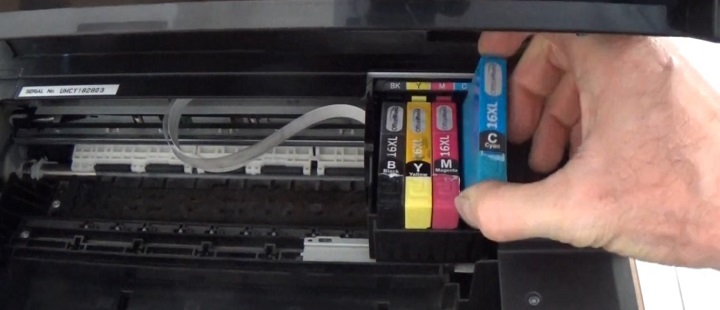
The easiest trick is to just pop open the little door on the front of your machine while it is turned on. Usually, the little plastic holders will slide right into the middle so you can see them. You should look for a tiny sticker or some printed numbers right on the top of the old container. It might be a short code like “65” or “LC3317,” and that is the magic number you need to remember.
If you can’t find the number on the old one, take a quick peek at the front of the actual machine. There is almost always a name or a model number printed right there in plain sight. Once you have that, you are all set! You won’t have to guess anymore or worry about buying something that doesn’t fit. Just match those numbers up, and you will be back to printing your favourite pictures in no time. It makes life so much easier when you know exactly how to find the right printer inks.
Choosing the Right Size
source: youtube.com
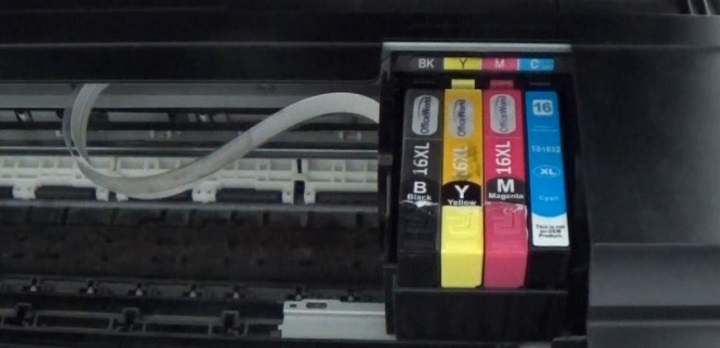
Ever noticed that some boxes look exactly the same, but one says XL on the front? It is kind of like picking between a small snack and a giant family-sized bag of chips! When you are looking for new ink cartridges, you really have to think about how much you actually print every week.
If you only print a page or two every once in a while, the standard size is totally fine. It gets the job done and keeps your printer happy without costing too much at once.
But if you are constantly printing out big school projects or loads of work papers, you should definitely go for the XL version.
Even though the box is the same size, it is packed with way more ink inside. It is such a smart move because you won’t have to swap them out nearly as often. You can just keep printing without that annoying low-ink light popping up every few days. It saves you a lot of time and money in the long run.
Why Quality Ink Matters for Your Machine
You might think all liquid looks the same, but using the wrong stuff is a total nightmare for your printer. You really have to be careful because cheap or messy cartridge ink can clog up those tiny little holes that spray the colour onto your paper.
When that happens, you get those ugly white lines across your photos, and nobody wants that. You should always stick to the good stuff so your machine stays happy and healthy for a long time. It’s the best way to make sure every single page looks bright, clean, and super professional.